Share a project
A shared project is a read-only view of your output feed that anyone with the link can open, without logging in to Cropink. Use it to show the result to a client or a colleague.
Turn sharing on
Section titled “Turn sharing on”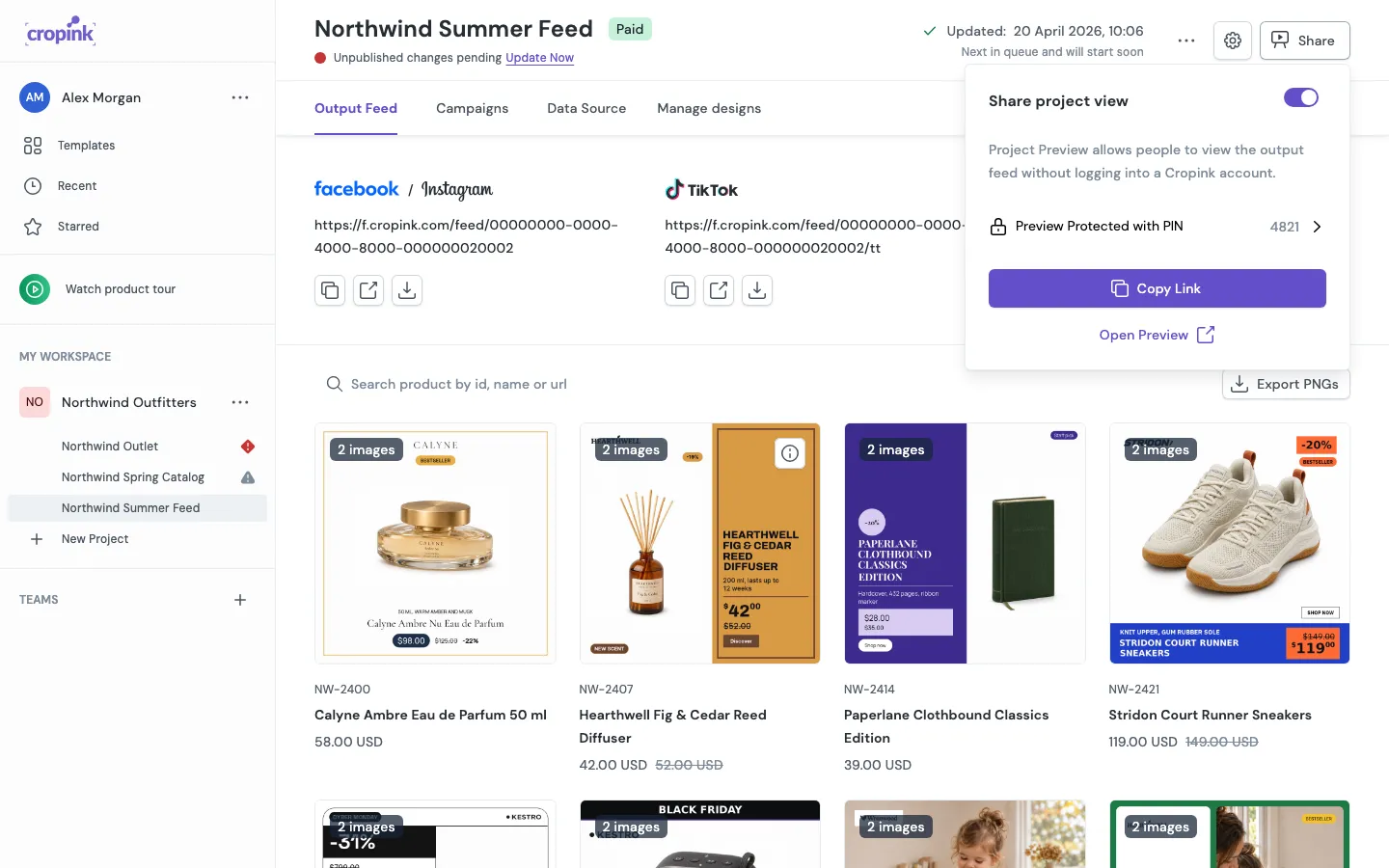
- Open the project and click Share in the project header (next to the settings icon).
- In Share project view, turn the switch on. Cropink saves the change at once.
- Click Copy Link and send the link, or click Open Preview to see the page yourself in a new tab.
The dialog explains it this way: Project Preview allows people to view the output feed without logging into a Cropink account. Turn the switch off to stop sharing. Click outside the dialog to close it.
Protect the link with a PIN
Section titled “Protect the link with a PIN”- In the Share dialog, click Protect Preview with PIN.
- Type a 4-digit PIN. The prompt is Set a 4-digit PIN
- Click Save.
The row now reads Preview Protected with PIN and shows the PIN. Click the row to change the PIN, or to remove it with Remove PIN. Turning the switch off and on again also removes the PIN. Tell the PIN to your viewers separately: it is not part of the link.
The shared view
Section titled “The shared view”Whoever opens the link sees a page with the name of your project.
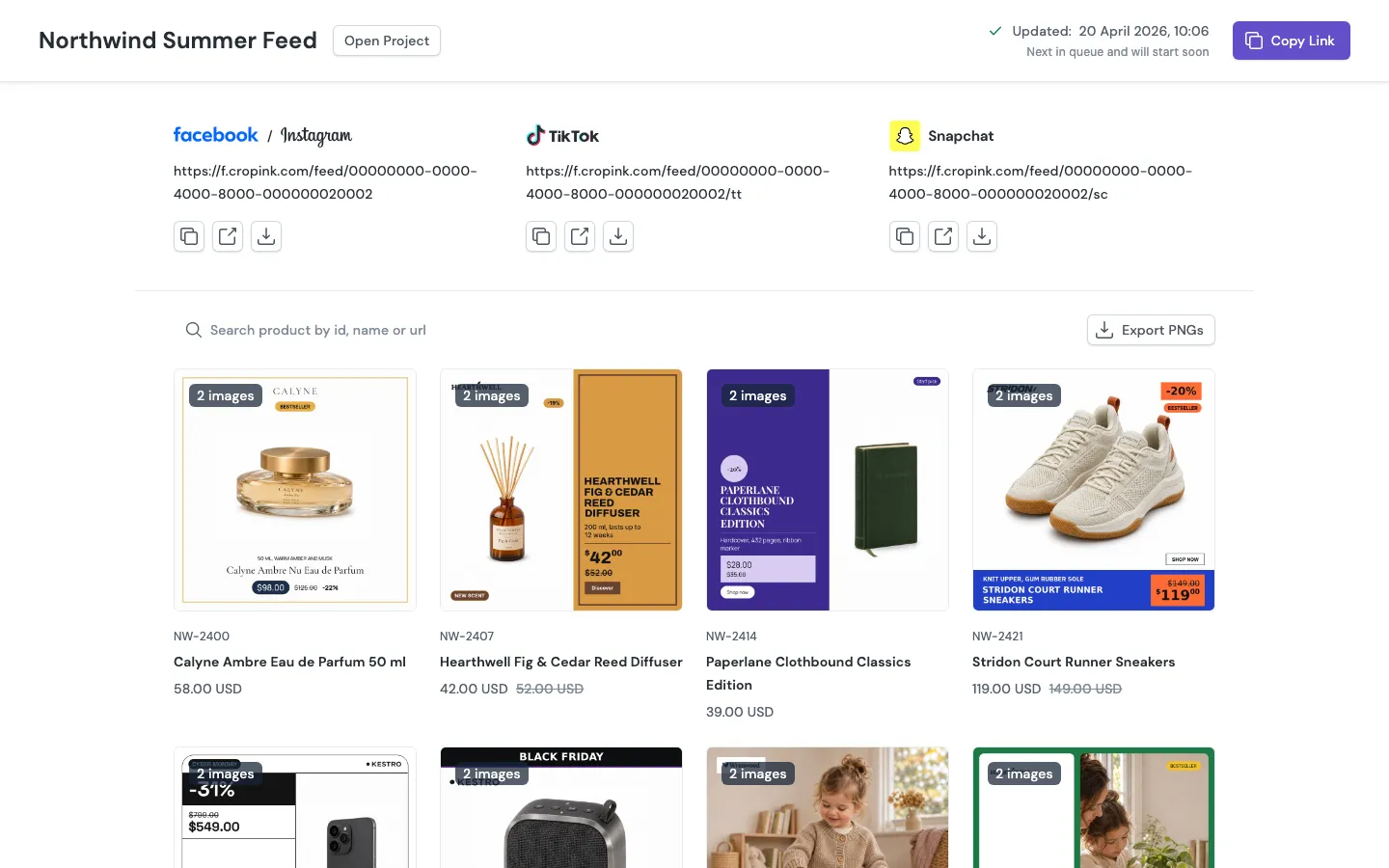
- When the link has a PIN, the visitor first sees PIN Required and types the 4 digits. A wrong one gives Invalid PIN code
- The header shows the project name and the state of the feed: Updated with the date, Failed, or Source File not connected.
- Copy Link copies the link of the shared view.
- Open Project goes to the project in Cropink. A visitor who is not logged in is asked to log in first.
- The body is the output feed: feed links, products and the product data panel. The image preview opens in the shared view only from a direct link; the shared page has no button to it.
A shared view has no tabs for campaigns, the data source or settings, so visitors cannot change anything in your project. If the project has no data source, the page says Output feed unavailable: no data source connected