Your account and theme
Account settings hold your personal details, the colour theme and the option to delete your account. They belong to you, not to a team: whichever team you are in, you see the same page.
Open your account settings
Section titled “Open your account settings”Click your name at the bottom of the side panel. You can also click the three dots next to your name and choose Account. When the side panel is collapsed, click your picture instead.
The page is called User Account Settings and has three tabs:
- Account: your details, theme and account deletion (this article);
- Payments: your invoices. See Payments;
- Change Password: see Change your password.
Your details
Section titled “Your details”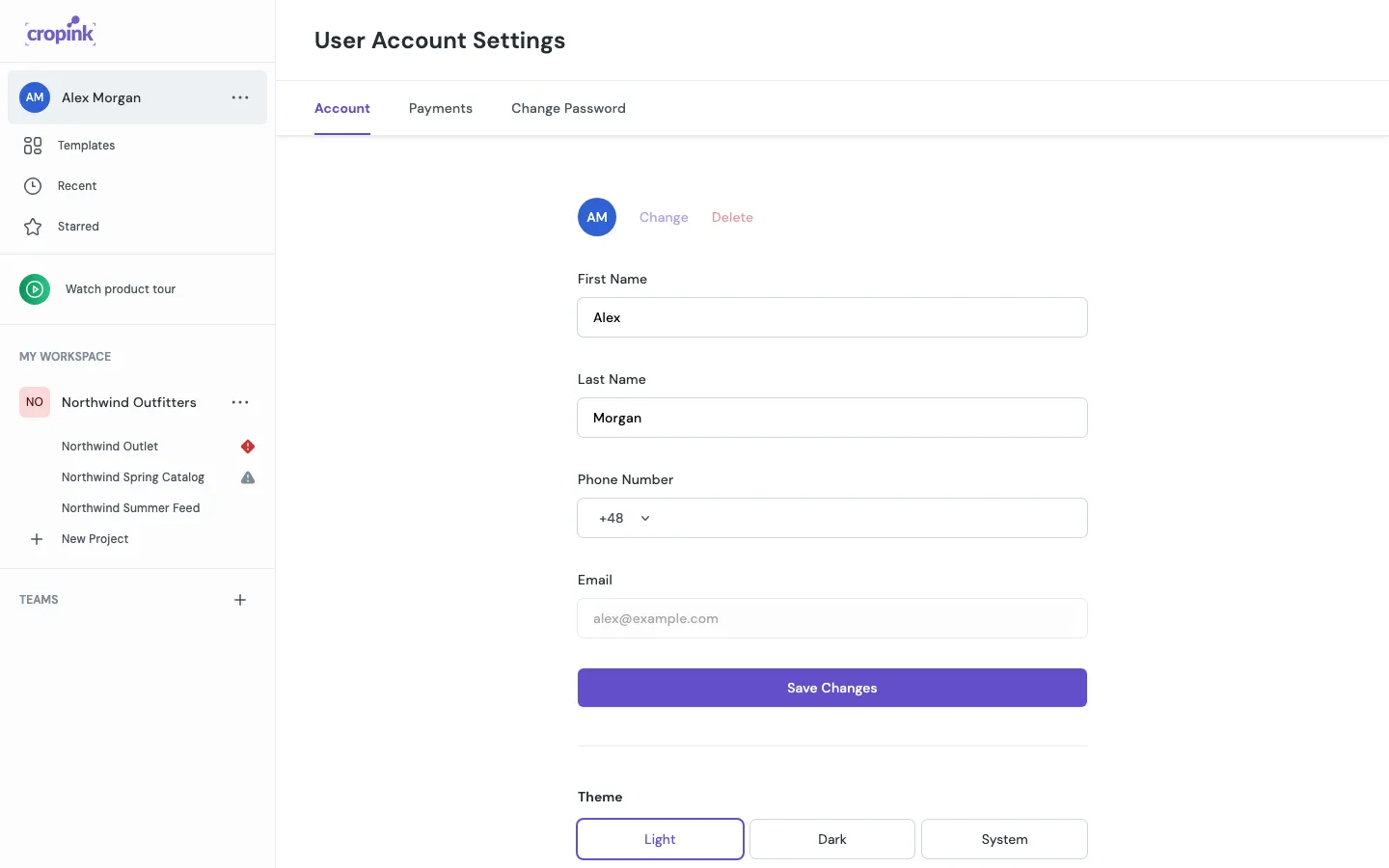
Your avatar, built from your name, comes first. You cannot change your picture.
Fill in the form:
- First Name and Last Name: both are required (Please enter at least 1 character appears under the empty field).
- Phone Number: required. Pick the country code, then type the number without the code. Cropink checks that the number is valid for the selected country; otherwise it shows Please enter a valid number for the selected country code. Changing the country code checks the number again.
- Email: shown for reference only. You cannot edit it here.
Click Save Changes. The button shows a loading state while Cropink saves, and a message confirms the change: Your account details has been changed. If saving fails, the error appears above the form.
Under Theme choose Light, Dark or System. The change applies at once and needs no saving. System follows the light or dark setting of your device and changes with it. It is the default.
The choice is stored in your browser, not in your account. On another browser or device, or after you clear the site data of your browser, you set it again.
Delete your account
Section titled “Delete your account”Click Delete account at the bottom of the page. Cropink opens the dialog Delete your account?. It names the e-mail of your account and warns:
This irreversible action will permanently delete all your teams.To go on, tick all three boxes under I understand that I will lose:: All my projects, All my teams and All my designs. Until you do, Delete Account stays disabled. Cancel, the close button or a click outside the dialog closes it without deleting anything.
After you confirm, Cropink deletes the account, logs you out and takes you to the start page. If the deletion fails, an error message shows the reason and you stay logged in. There is no undo.