Help in the app
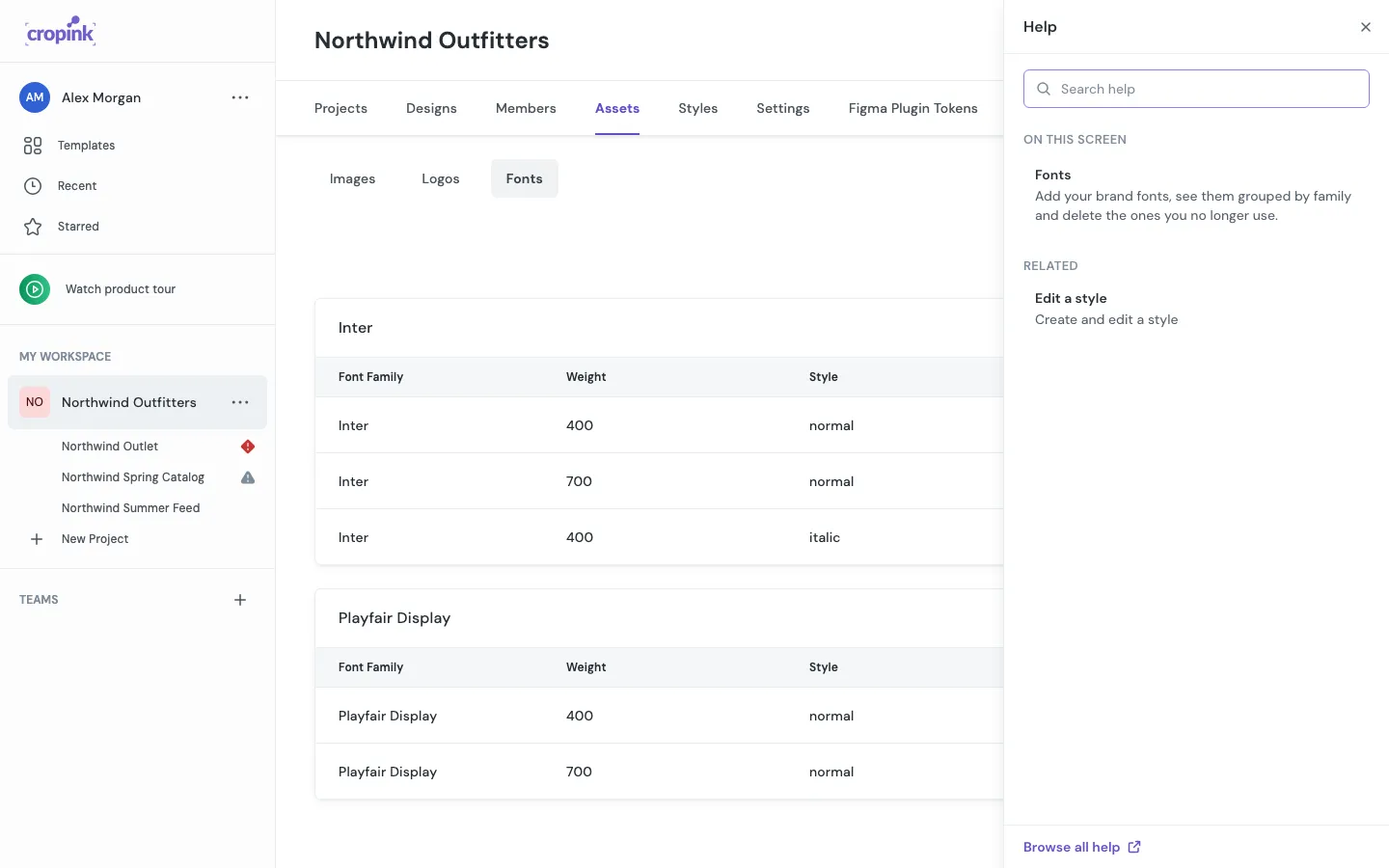
The help panel shows the articles that match the screen you are on, and lets you search all help. You read an article inside the panel, so you do not lose your place in Cropink.
Open and close the help
Section titled “Open and close the help”Click the help button in Cropink to open the panel. It opens on the right side of the page, on top of the screen, and the search box is ready for typing.
To close it, click the × button in the panel header or press Esc while the panel is in focus. The next time you open it, it starts on the list for the screen you are on.
Find help for your screen
Section titled “Find help for your screen”When the panel opens, it looks at the screen you are on and shows two lists:
- On this screen: the articles written for this screen. Under an article you may see its topics. Click a topic to open the article at that section.
- Related: sections of other articles that mention this screen. Each one shows the section name and the article it belongs to.
If there is no article for the screen, the panel says “There is no article for this screen yet. Search above or browse all help.” You can still search.
The panel follows you. If you go to another screen in Cropink while the panel is open, the lists change to match the new screen.
Search
Section titled “Search”Type in the Search help box. The lists are replaced by Results, with the articles that match what you typed. If nothing matches, the panel says “No articles match” followed by your text. Clear the box to go back to the screen’s lists.
Read an article
Section titled “Read an article”Click an article, a topic or a related section. The article opens inside the panel, and the header shows its title.
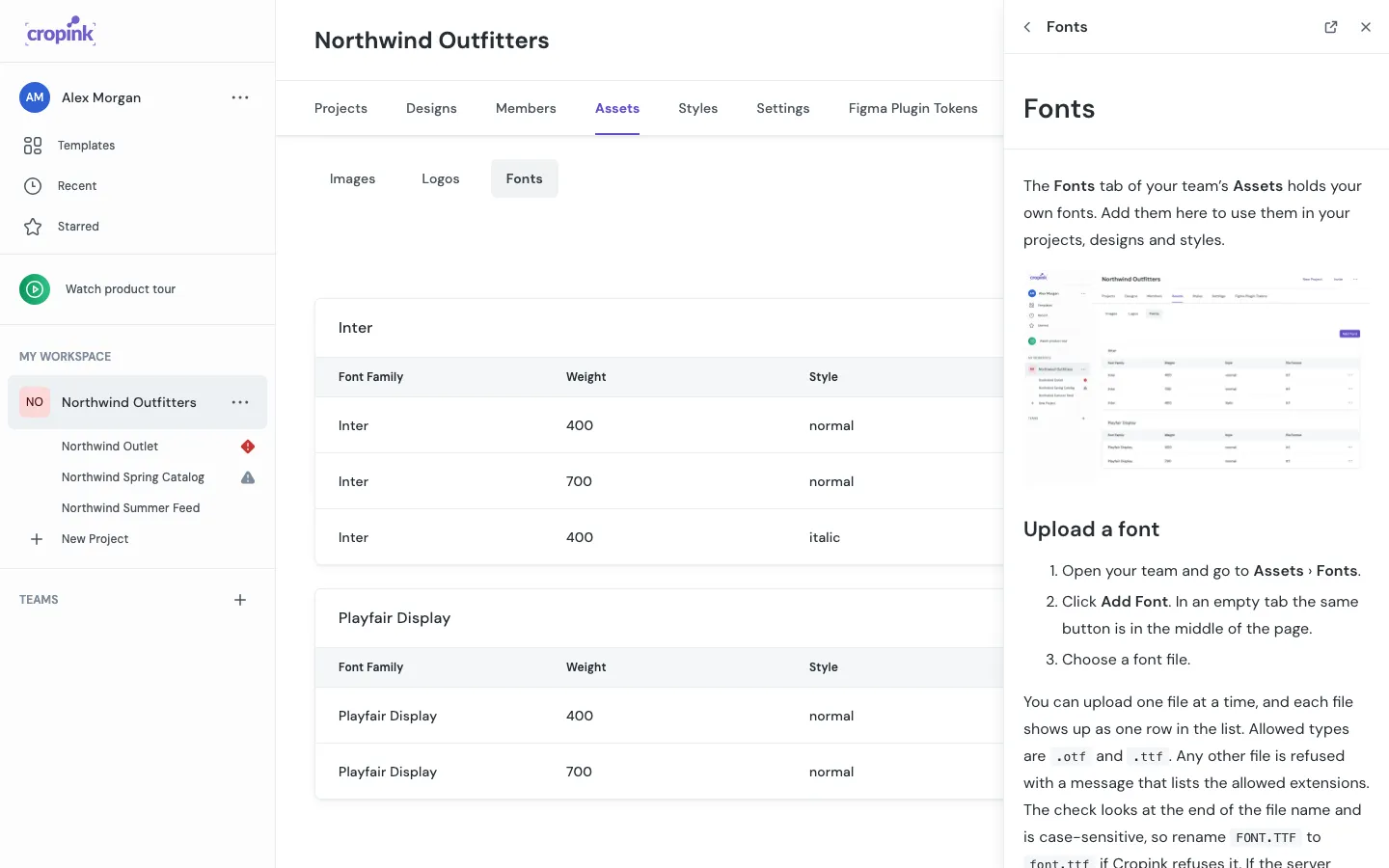
- Back returns to the list you came from.
- Open in new tab opens the same article in a new browser tab, on the full help site.
Browse all help
Section titled “Browse all help”At the bottom of the list is Browse all help. It opens the full help site in a new tab, where you can see every article by section.
Light and dark theme
Section titled “Light and dark theme”The panel and the articles in it use the same theme as Cropink. When you switch between light and dark theme in Cropink, the panel follows, even with an article open.